
View the demo
See CareBravo® at work, in one owner’s day.
Give us your email and we send the highlights video the moment you submit. No call, no wait. A few minutes of the operating system at work: the tap at the door, the claim and the paycheck made from it, and the short list that reaches the owner.
Check your inbox. The video is on its way.
Want the demo built on your own agency? See What’s Draining Your Agency → first, and we show you the job it names.
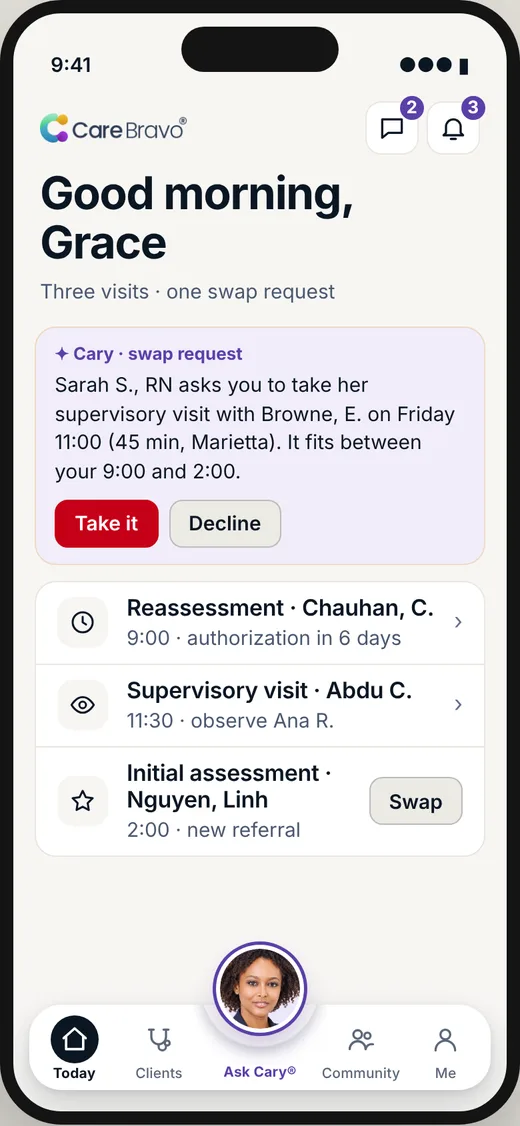
Real product screen. Sample agency, sample data.
Questions owners ask.
What should I look for in home care agency software?
Start with what Medicaid requires: EVV that captures the six federal data elements and works with your state. Then check scheduling, payroll, billing, and caregiver notes in one place. Ask who owns your data, what happens at exit, what support costs, and whether it works in your state. Read the full answer
Is all-in-one software better than using separate tools?
All-in-one is usually easier when the money depends on matching: a checked shift becomes pay, a claim and a note. Separate tools can be fine if each one is strong and they connect without retyping. Count how many times someone retypes the same fact. That is the cost. Read the full answer
How do I switch software without stopping my billing?
Run the new system beside the old one on real data before you switch. Compare schedules, pay and claims until the numbers match. Move on a clean cut-off date, such as the start of a pay period, and keep the old system readable for audits. Ask for a written export of your data. Read the full answer